VPN for iPhone on Road Trips: Safer Wi-Fi, Maps and Accounts
On a road trip, an iPhone can be your map, booking folder, payment tool and emergency contact list. That convenience also creates a weak point: one lost connection, flat battery or compromised account can disrupt several parts of the journey at once.
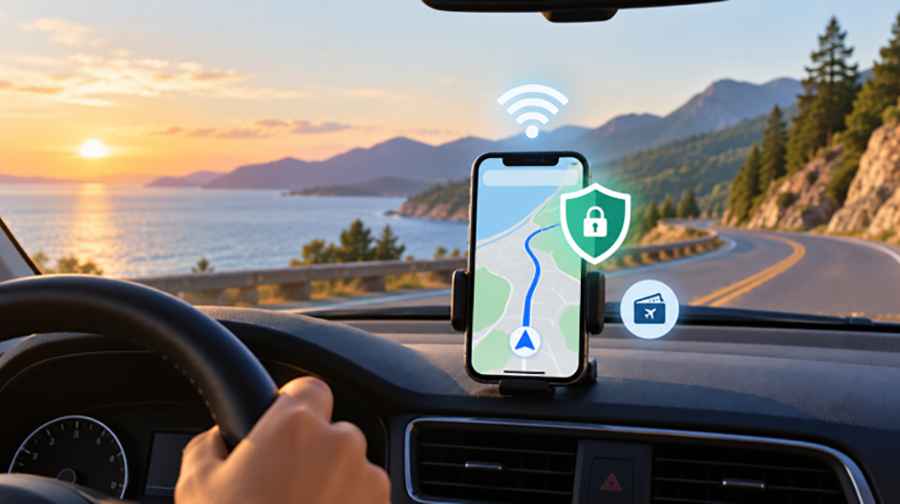
Good preparation is less about staying online everywhere than making sure the drive can continue when you are not. Before leaving, set up secure connections, download the information you will need in dead zones and check the accounts that hold your travel plans.
Treat Public Wi-Fi as an Unfamiliar Road
Hotel, café and service-station Wi-Fi can be useful when mobile coverage is weak or roaming is expensive. However, a network name does not prove who operates it. If a hotel called Mountain View Lodge has three similarly named networks, ask staff which one is genuine instead of guessing.
Turn off automatic joining for networks you do not regularly use, and remove old public networks your phone no longer needs to remember. For banking, payments or other sensitive tasks, cellular data or your own hotspot may be the simpler option when coverage is available.
When you must use an unfamiliar network, a VPN for iPhone adds a useful privacy layer. A VPN creates an encrypted connection between the phone and a VPN server, which reduces what people on the local network can see about your traffic. It can also replace your public IP address with the server's address.
That protection has limits. A VPN cannot identify every fake login page, stop you from responding to a phishing message or create a signal in a dead zone. It protects the connection; it does not replace careful browsing, account security or offline planning.
Download More Map Than You Expect to Need
A VPN needs an existing internet connection. It cannot help when the highway enters a canyon or crosses a remote plateau with no usable service.
Download offline maps before leaving reliable coverage. Include a wider area than the planned line between two stops. A closure, landslide, storm or wrong turn can make an alternate road necessary, and a narrow map download may not contain it. Apple Maps supports offline turn-by-turn directions on compatible iPhones and in supported regions, but availability varies, so test the downloaded area before departure.
Save the locations that matter: fuel stops, accommodation, the next large town, hospitals, border crossings and the rental-car return point. For isolated routes, keep critical road numbers or coordinates in a screenshot or written note. A physical map can still be worthwhile where there are few alternative roads.
Refresh the route while you still have service. Offline maps can guide you through a coverage gap, but they may not reflect a closure reported after the download. Check current road and weather information before entering a remote section, identify a sensible turnaround point and avoid treating a suggested detour as proof that an unfamiliar road is safe or open.
Protect the Accounts Behind the Trip
Your email account may be more valuable to a thief than a single travel app because it can receive password-reset messages for bookings, payments and other services. Use a unique password or passkey where supported, and enable multi-factor authentication on email and important travel accounts.
Check recovery options before you leave. If the missing iPhone is also the only device or phone number that can approve a login, recovering an account from the road may be difficult. Keep recovery codes or other approved recovery methods somewhere secure and separate from the phone.
Travel messages deserve extra scrutiny. A text about an unpaid toll, failed hotel payment or urgent reservation check may sound convincing because it matches what you are doing. Do not use an unexpected link. Open the official app or type the known website address yourself.
Limit Location Access Without Breaking Navigation
Maps need your location while guiding you, but not every travel, shopping or entertainment app needs the same access. Review Location Services before the trip and choose the narrowest setting that still lets each app do its job. Precise location may be justified for turn-by-turn navigation, while another app may work with an approximate location or no access at all.
Look closely at apps allowed to use location in the background. Live-location sharing can help a trusted person follow progress on a remote drive, but temporary sharing does not need to remain active after arrival. Delaying public social-media posts until you have moved on can also avoid broadcasting your location in real time.
Prepare the Phone Before Starting the Engine
Install iOS and important app updates while you have a stable connection. Open your navigation app, confirm that offline maps work and connect the VPN once before the trip. Save booking numbers, accommodation addresses, insurance details, roadside-assistance information and emergency contacts somewhere available offline.
Power is part of digital safety. Navigation, a bright display, photography and weak cellular reception can drain a battery during a long day. Pack a working car charger and a charged power bank. Use a secure phone mount and enter destinations while parked; preparation should reduce distraction, not move it onto the dashboard.
Protect the device itself with a strong passcode and Face ID or Touch ID. Check that the device-finding features you intend to rely on are enabled. These steps cannot guarantee recovery, but they can make a lost phone less useful to someone else and give you more options.
A Five-Minute Check Before Departure
- Download and test offline maps for the route and possible detours.
- Confirm important addresses, bookings and emergency details are available offline.
- Update the phone and essential travel apps.
- Test the VPN, charger, power bank and phone mount.
- Review Wi-Fi auto-join, location permissions and account recovery methods.
- Tell a trusted person about remote sections of the route when appropriate.
The aim is resilience. If the signal disappears, the map should still work. If a website is unavailable, you should still know where you are staying. If public Wi-Fi is the only option, your secure connection should already be ready. Prepare the phone with the same care you give the car, then keep your attention on the road ahead.